
NVIDIA’s local AI machines bring powerful models to your desk and your bag. We explore their practical uses, limitations and why they offer a practical starting point for scalable private AI.
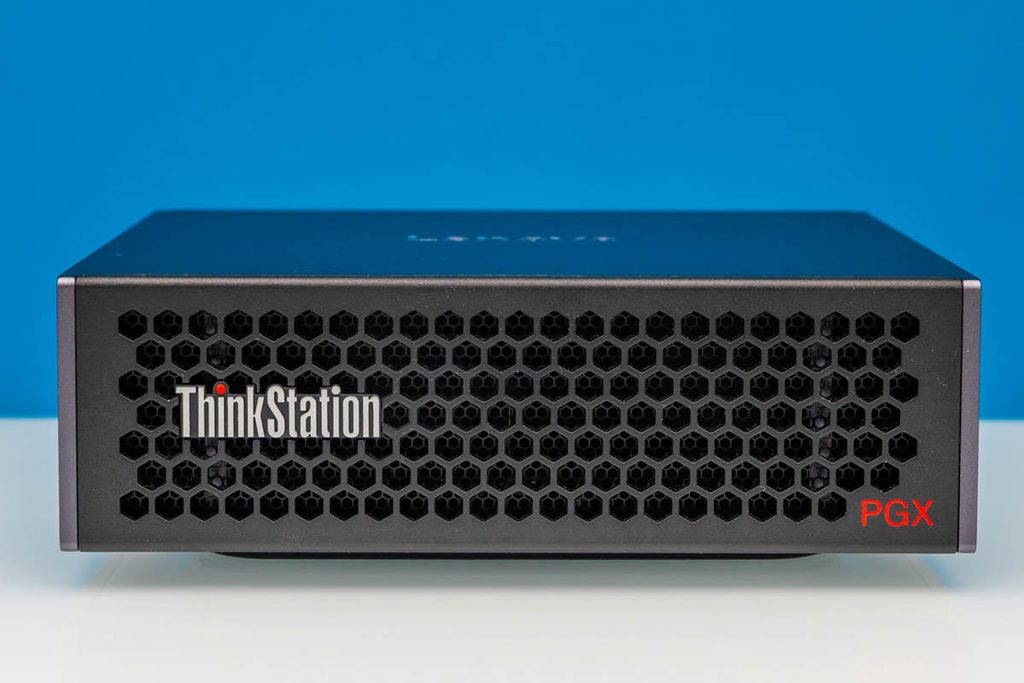
Lenovo’s PGX Workstation
We have had the Lenovo ThinkStation PGX in our lab for a while, and it is an interesting little machine with a lot of capability. NVIDIA’s DGX Spark platform also appears in compact systems from ASUS, Dell, HP and other vendors. Now RTX Spark is taking the idea into Windows laptops and desktops, including Microsoft’s Surface Laptop Ultra and Surface RTX Spark Dev Box. Lenovo and other vendors are bringing further options to market, with local availability still to be confirmed.
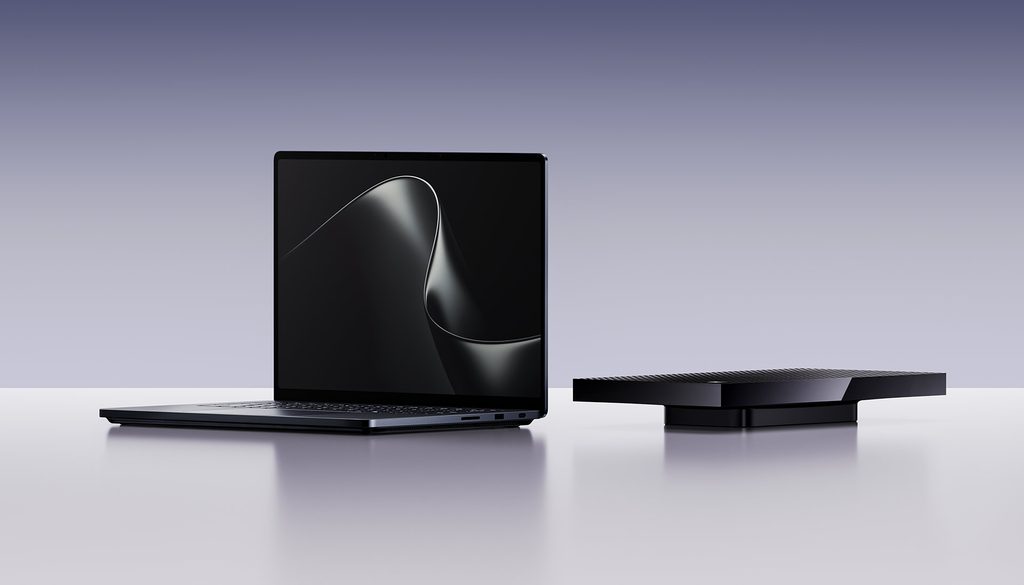
Microsoft’s Surface Laptop Ultra and Surface RTX Spark Dev Box
There is plenty of excitement around the specifications. But before we all order a personal AI supercomputer, it is worth asking what we would actually do with one.
You do not need a Spark to use AI. A normal business laptop is generally fine for ChatGPT, cloud-based Copilot or an AI application running on a company server. The heavy processing happens elsewhere. In addition, AI PCs with built in NPUs (basically small offline AI engines) are trying to make statement with the ability to process some AI locally, but the killer apps are still to arrive after 24 months in the market.
Do you need to run AI locally?
But these Spark machines become interesting when you want to run the models on the device itself. Think AI power users, developers and IT teams building and testing private AI. Additionally a PGX (desktop Spark) can also be a shared resource, with business users accessing it from ordinary laptops.
What makes them different?
The key feature is unified memory: the CPU and GPU share a large memory pool, rather than having separate system RAM and graphics-card VRAM. The PGX has 128GB, while higher-end RTX Spark configurations also reach 128GB. That opens up models that cannot fit into the memory of many conventional graphics cards.
It is not magic, though. The operating system, applications and model context all need memory too. A model fitting in memory does not guarantee a comfortable response time. And the “one petaflop” headline describes specialised low-precision AI compute, rather than everyday workstation speed.
A potential contender and very popular with some communities is the Apple Mac Studio. We have included it below as the hardware specifications are not something to be scoffed at. It is a capable AI platform, but we explain later why for corporate workloads, we recommend the Spark platform for businesses planning to grow into NVIDIA-based private AI infrastructure.
How do the options compare?
| Feature | Lenovo ThinkStation PGX | Surface Laptop Ultra | Surface RTX Spark Dev Box | Apple Mac Studio |
| Platform | NVIDIA GB10 | NVIDIA RTX Spark N1X | NVIDIA RTX Spark N1X | M5 Max / M5 Ultra |
| CPU | 20-core Arm | 18 or 20-core Arm | 20-core Arm | 18-core / 30–36-core Arm |
| GPU | Blackwell RTX; 6,144 cores | Blackwell RTX; 5,120 or 6,144 cores | Blackwell RTX; 6,144 cores | Apple GPU: 32–40 / 64–80 cores |
| Unified memory | 128GB | 24–128GB | 128GB | 36–128GB / 96–512GB |
| Memory bandwidth | 273GB/s | Up to 300GB/s at platform level | Up to 300GB/s at platform level | 460–614GB/s / 1.2TB/s |
| Storage | 1,2 or 4TB NVMe | 512GB–2TB; removable SSD | 2TB removable Gen 5 SSD | Up to 8TB / 16TB |
| OS | NVIDIA DGX OS; Ubuntu Linux | Windows 11 on Arm; Pro on business models | Windows 11 Pro on Arm | macOS |
| Networking | 10GbE RJ45 2 × ConnectX-7 QSFP ports, up to 200Gb/s each Wi-Fi 7 | Wired Ethernet via adapter/dock Wi-Fi 7 | Ethernet TBA; Wi-Fi 7; | 10GbE RJ45 Wi-Fi 7 |
| USB data ports | 3 × USB-C, 20Gbps | 3 × USB4, 40Gbps; 1 × USB-A | 2 × USB-C; 1 × USB-A, 5Gbps; USB-C speed not specified | 4 × rear Thunderbolt 5; 2 × USB-A; front: 2 × USB-C on Max or Thunderbolt 5 on Ultra |
| Display connections | HDMI 2.1a; USB-C DisplayPort | 15-inch built-in display; HDMI 2.1b; USB-C DisplayPort | HDMI 2.1b | HDMI 2.1; Thunderbolt displays |
| Power supply | Single external 240W adapter | 140W USB-C adapter; | Single external 165W adapter | Internal supply; single AC inlet 480W |
| Power Usage | Est ~ 150W | Est, ~ 140W | Est ~150W | M5 Max 7W idle / 200W max; M5 Ultra 9W idle / 385W max |
| Portable operation | Requires mains power and peripherals | 92Wh nominal battery; integrated screen and keyboard | Requires mains power and peripherals | Requires mains power and peripherals |
Specifications vary by configuration and market. Some values are estimates and TBA due to product release timeframes.
What would we use them for?
A useful starting point is a local assistant for drafting, summarising, coding or analysing information. Add an approved document collection and retrieval, and it can answer questions using relevant business material. Add carefully controlled tools, and you can explore a bounded agent workflow, for example, reviewing an enquiry and preparing a response for approval.
Other opportunities include image interpretation, transcription, camera-based experiments, media generation, model comparison and supported fine-tuning. The workload determines the model, software and hardware requirements. Local processing can reduce external data transfers; permissions and cloud-connected integrations still need attention.
The laptop’s sweet spot is portable testing and demonstrations. Take a prepared environment to a customer, test an agreed workflow onsite, or demonstrate local AI using approved sample data. A fully local setup can work without cloud inference, provided its applications and tools do not depend on external services. There is something satisfying about saying, “That is all running right here.”
Linux versus Windows and where WSL fits
The PGX runs Ubuntu-based NVIDIA DGX OS directly on its hardware. This suits many Linux AI tools and container workflows. It can sit on the network, serving an application that staff access through their existing PCs.
Surface brings Windows on Arm. Native Arm applications are preferable, while Prism emulation allows many existing x86 and x64 applications to run. Specialist drivers, plug-ins and utilities need checking. A warning here though, in our experience in the wild is most applications run, but the ones that trip you up are often key (Talking about you, Unnamed vendor VPN Client)
Windows also offers WSL or Windows Subsystem for Linux. WSL 2 runs a real Linux kernel inside a lightweight virtual machine managed by Windows. This lets you use Linux development tools and run Linux containers through compatible container software, while keeping your Windows applications. NVIDIA describes Linux AI toolchains as accessible through WSL on its new Windows platforms.
The distinction is that the PGX runs Linux directly, or “bare metal”; WSL runs Linux within Windows. GPU acceleration, networking and container support depend on the supported drivers and software versions. Arm-compatible builds remain important on both platforms.
Graphics and the daily-driver question
The GPU can certainly do more than AI. PGX includes ray-tracing and video hardware, while RTX Spark targets graphics, creative applications and gaming as well as AI. For specialist production work, check application support, certification and actual performance.
Would we use one as a daily driver? Possibly, but it would be a pretty expensive way to answer email. For everyday work, graphics and lighter AI experiments, a conventional laptop with a good discrete GPU may offer better value. Spark becomes more compelling when larger local models and substantial GPU-accessible memory are part of your regular workload.
The PGX’s ConnectX-7 ports are high-speed Ethernet interfaces, usable with compatible switches or for direct links between machines (2 and 3 node topologies can exist without networking infrastructure) . They are not restricted to clustering. The laptop relies on Wi-Fi or a wired adapter, making large dataset transfers a different proposition. None of these systems offers redundant dual power supplies or other “Production grade” so lack the redundancy and independent management normally expected from a server, and that availability requirements need separate consideration.
Why Focus Group Technologies leans towards NVIDIA rather than Mac
Mac Studio deserves consideration. Its higher memory capacities and bandwidth are attractive for local AI, and Apple’s MLX framework provides an effective software path for Apple silicon.
Our recommendation towards NVIDIA is about where the workload goes next. A successful proof of concept may need to serve more people, run continuously or move onto an on-premises server with NVIDIA RTX or RTX PRO GPUs. Starting with CUDA-based tools on PGX or RTX Spark gives you a more direct path into that environment. Much of the model, application logic and tooling can carry forward, with less need to change GPU backends.
That is our practical assessment, rather than a promise of copying everything unchanged. Moving from Arm to an Intel/AMD server can require different container images or rebuilt dependencies. Drivers, GPU memory, inference engines and performance still need validation. A Mac-developed application can also move to NVIDIA, but Apple-specific MLX or Metal acceleration needs a different backend.
For our customers aiming towards private AI infrastructure, we would rather start learning on the platform they are likely to grow into.
Our recommended starting point
Choose PGX for a dedicated environment your IT team can explore and share. Choose an RTX Spark laptop when portable development, onsite testing and demonstrations matter. We expect Lenovo and other vendors’ options to broaden that choice as local availability develops.
For our customers we start with one useful task, a small approved document collection and a clear outcome. Focus Group Technologies Private AI Factory FastStart pairs the PGX with a guided introduction and one agreed workflow, helping your team build experience before deciding how to scale. The aim is to find a useful next step and have a little fun discovering what the small box can do.

24 September 2026
9 September 2026